Ask your paperwork.
Find the answer.
OwlScan is a document scanner for iPhone, iPad, and Mac. Scan on iPhone. Pick up on iPad or Mac. Keep your library in sync with optional iCloud sync, and ask OwlScan to find or summarize your documents.
Sync and Ask Mode available with Pro. AI requires a supported device.

Ask Mode can make mistakes. Check important details. Need help? Visit Support.
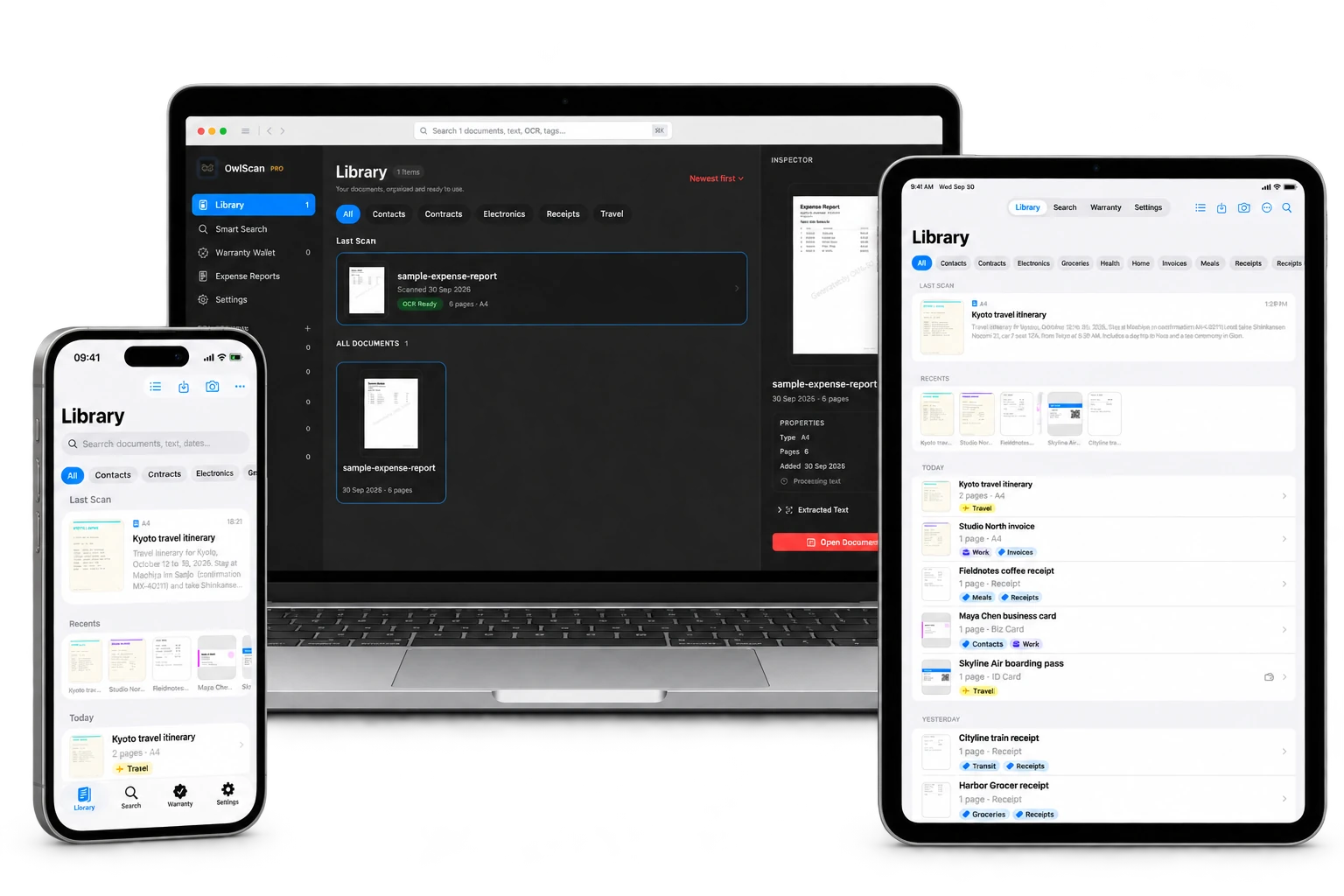
A small app.
A lighter everyday.
Life happens on paper.
Keep it beautifully.
From the everyday to the don’t-lose-this.
One thoughtful place for it all.
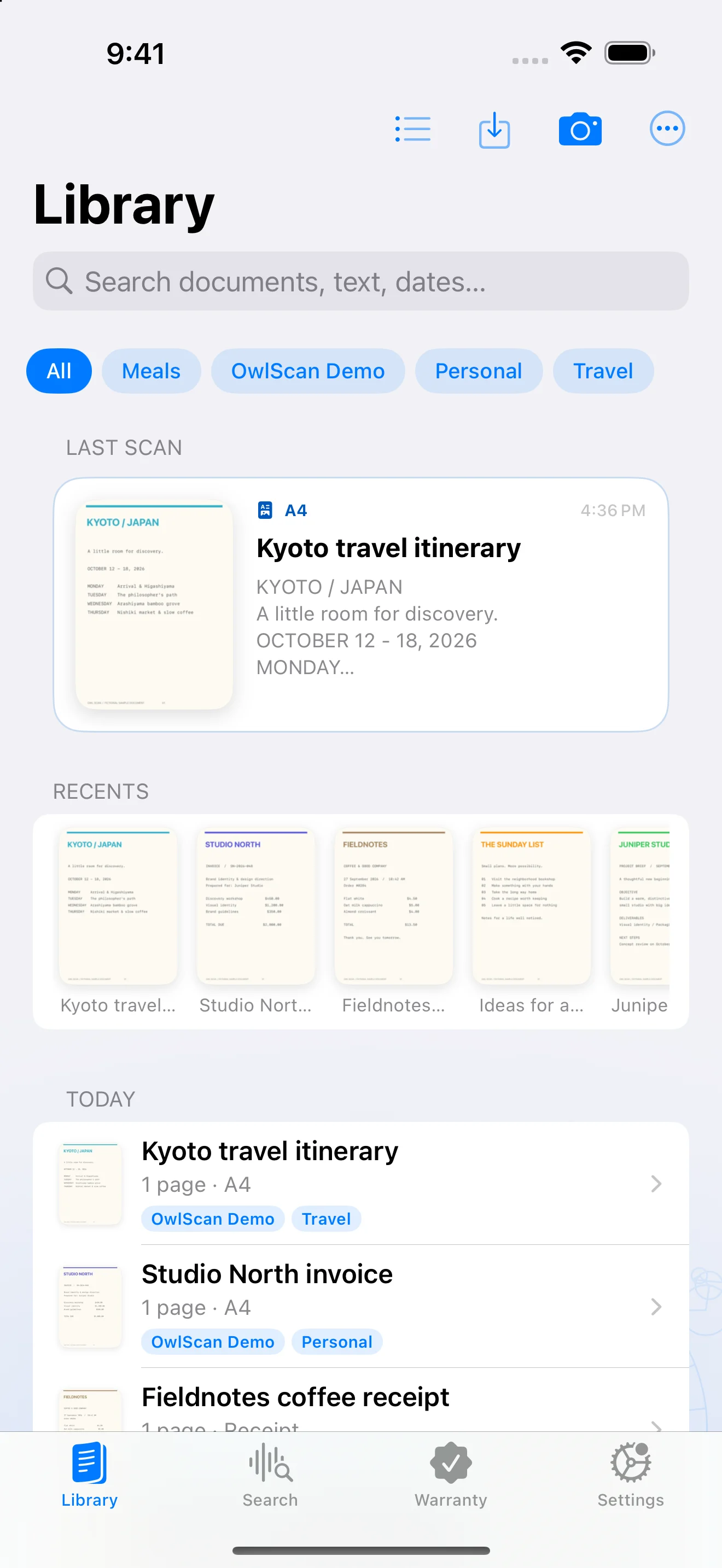
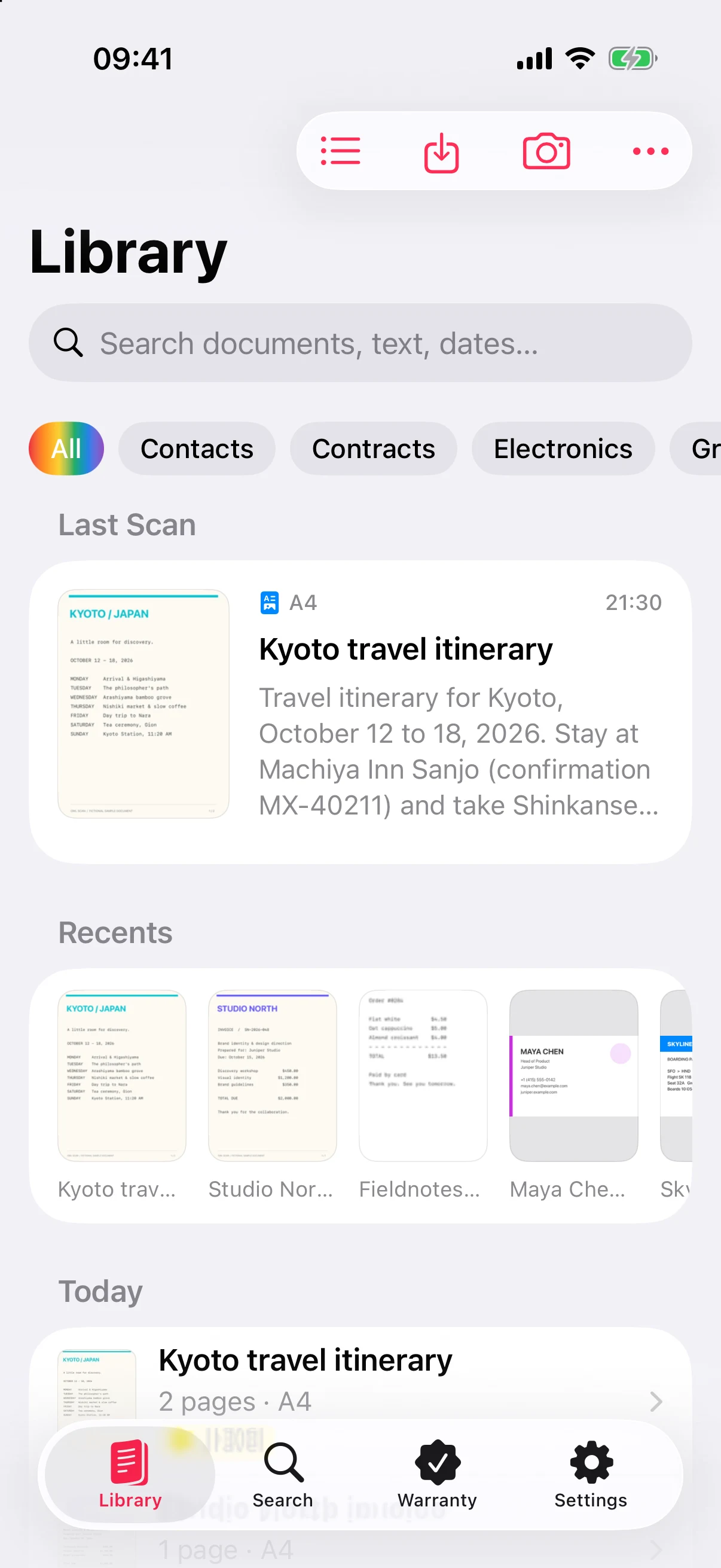
A home for every document.
The receipt from lunch. The plan for your next trip. Keep the little things that matter together, with a library that makes sense.
- Your recent scans, right up front
- Tags to bring related documents together
- Folders for every project with Pro
Three steps.
Then get on with your day.
Point. Capture. Done.
Open the scanner, frame your document, and let automatic edge detection do the careful work.
Make it easy to find.
Give it a name, add a tag, and put it where it belongs. Search for the words inside, too.
Send it on its way.
Export a PDF, share the important details, and leave the paper pile behind.
Keep the receipt.
Remember the cover.
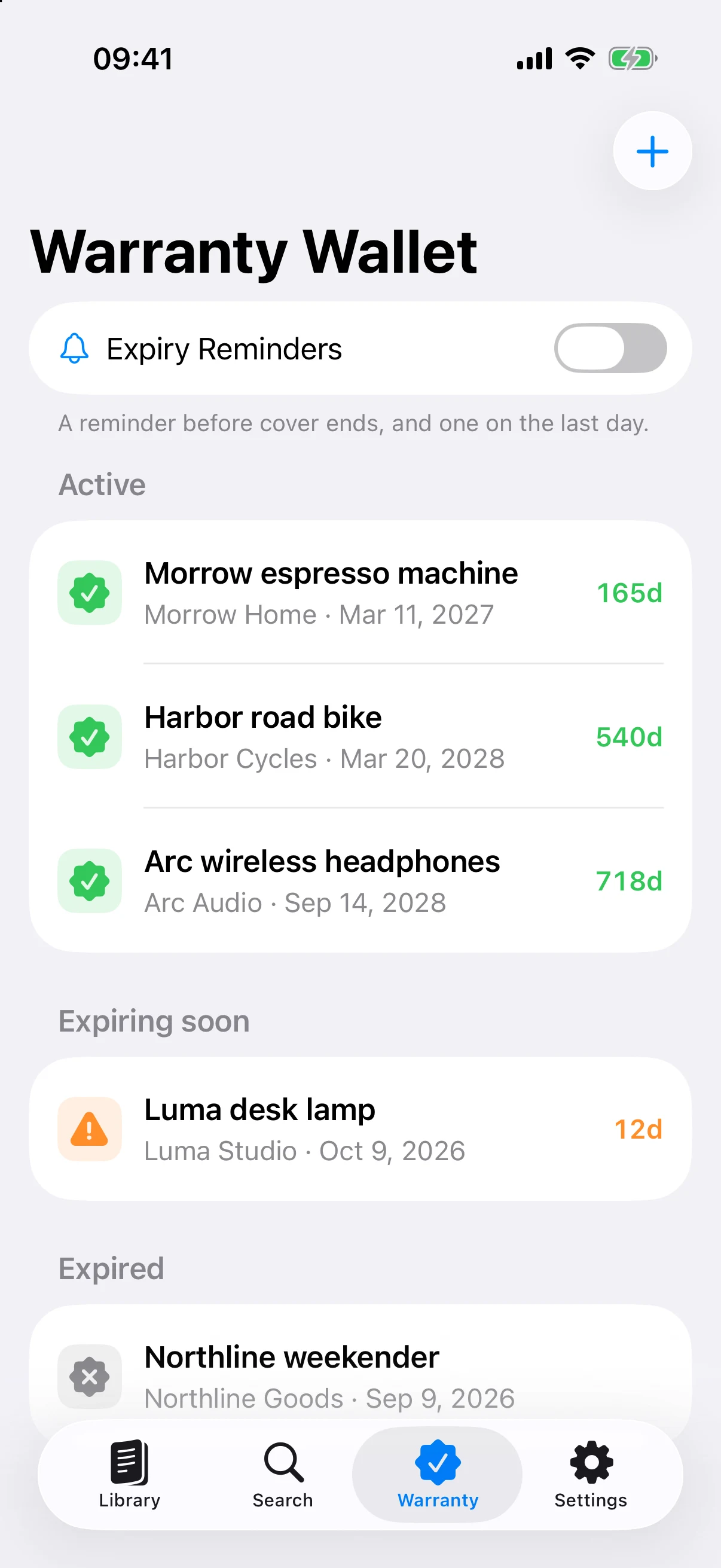
Headphones. Coffee machine. That bag you take everywhere. Give their warranties a home, with purchase dates, coverage dates, and the original document close by.
- See active, expiring, and expired warranties together
- Add warranty passes and supported scanned QR codes or barcodes to Apple Wallet
- Get a reminder before cover ends, and on its last day, with Pro
Warranty tracking and Wallet export are free. Wallet passes need an internet connection; supported barcode formats only.
Less searching.
More understanding, with AI.
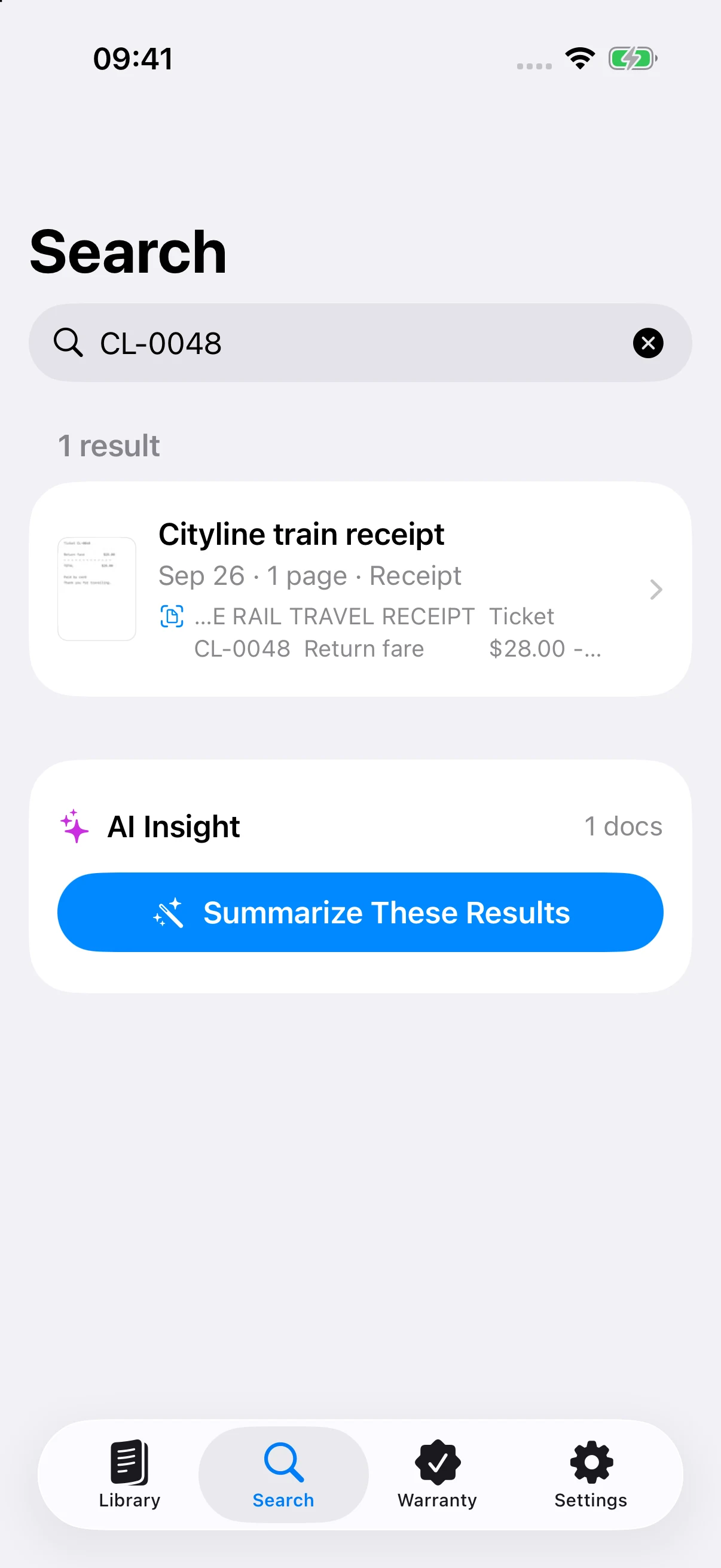
Remember a word. Find the document.
Search the content of your scans as well as their names. A merchant, a booking reference, a date: the detail you remember is enough to start.
Content search is included in Free. Results depend on recognized text.
Smart naming suggests a title from recognized text. On supported devices, Apple Intelligence helps; text-based naming works when AI is unavailable. Included in Free.
Your expenses.
In good order.
A month of travel. A week of client lunches. Choose the receipts, set the date range, and export one organized PDF with a cover summary and the original scans.
- Filter by dates, merchant, document text, and tags
- Sort by date, merchant, or amount before exporting
- Include receipt dates, merchant names, and totals grouped by currency
- Prefer a spreadsheet? Export receipt details as CSV
PDF and CSV exports are free. Pro removes the expense report watermark. When no receipt date is recognized, the report uses the scan date.
Open a real sample report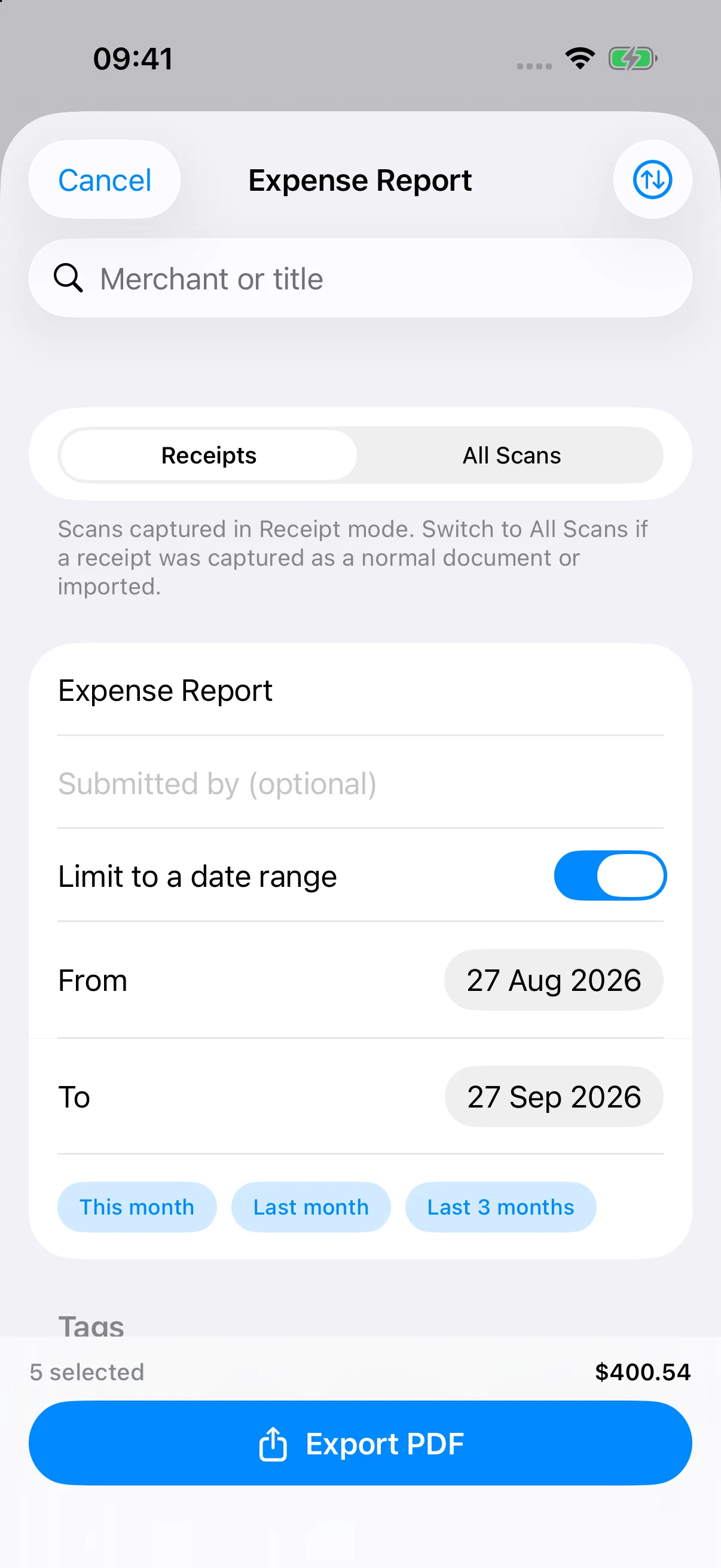
Practical.
Never plain.
Choose from 12 accent colors, or let Pro’s rainbow theme bring the full spectrum to supported icons, buttons, and highlights. Light and dark appearances keep it comfortable any time of day.
The rainbow gradient appears on supported app elements; system controls use a matching accent color.
Find your kind of OwlScanA scanner.
And then some.
Thoughtful tools for the whole journey,
from the first capture to the final handoff.
Edit, sign, and combine
Crop and rotate pages, change their order, annotate, highlight, add a handwritten signature, and merge scans into one PDF.
A library that makes sense
Add and filter individual tags, use list and grid views, and browse recent scans. Pro adds folders, smart collections, and bulk actions, including bulk tagging.
Bring your files along
Import photos, images, and PDFs from Photos or Files. Bring over Adobe Scan documents and automate imports from chosen photo sources.
Across your Apple devices
With Pro, sync your document library through your Apple Account across iPhone, iPad, and Mac. Print a document when you need paper again.
Keep private things private
Protect access with Face ID, Touch ID, or your device passcode. Your OCR and supported AI processing happen on-device.
The useful little extras
Save contacts from business cards, export vCards, find documents with Spotlight, and restore accidentally deleted scans from the 30-day Recycle Bin.
Your documents.
Still yours.
Your files start on your device. Text recognition happens on-device. With Pro, optional iCloud sync keeps your library available across iPhone, iPad, and Mac through your Apple Account.
Our approach to privacyA useful Free plan.
A little extra with Pro.
Start with the essentials. Upgrade when you want more.
Monthly and annual Pro plans are available in the app.
OwlScan Free
Everything you need to start clearing the paper pile.
- Document scanning and PDF sharing
- Content search, automatic naming, and tags
- Receipt CSV and watermarked report PDFs
- Warranty tracking and Apple Wallet passes
- Manual photo import and Share Sheet receiving
- Recycle Bin and 12 accent colors
OwlScan Pro
Everything in Free, with more ways to work with your scans.
- Full OCR text access and copying
- On-device AI summaries and search insights*
- Annotations, signatures, page edits, and merging
- Folders, imports, iCloud sync, and printing
- Document protection, expiry reminders, and rainbow theme
- Remove the expense report watermark
*AI requires Apple Intelligence on a supported device running iOS 26 or later. Localized prices, billing terms, and any eligible introductory offers appear in the app before purchase.
| Feature | Free | Pro |
|---|---|---|
| Scan documents, IDs, books, and receipts | Included | Included |
| Automatic naming and content search | Included | Included |
| Tags, list and grid views | Included | Included |
| Bulk tagging and document actions | Not included | Included |
| PDF sharing and receipt CSV export | Included | Included |
| Expense report PDFs | With watermark | Optional watermark |
| Warranty tracking and Apple Wallet passes | Included | Included |
| Accent themes | 12 colors | 12 colors + rainbow |
| Full OCR text access and copying | Preview | Included |
| AI document summaries and search insights | Not included | On supported devices |
| Annotations, signatures, page editing, merging | Not included | Included |
| Folders, smart collections, and bulk actions | Not included | Included |
| Library photo/PDF import and automatic photo imports | Not included | Included |
| Manual photo review and selected photo import | Included | Included |
| Receive images and PDFs from other apps | Included | Included |
| iCloud sync and printing | Not included | Included |
| App Lock | Included | Included |
| Document and folder protection | Not included | Included |
| Warranty expiry reminders | Not included | Included |